What would removing the Roadless Rule do?
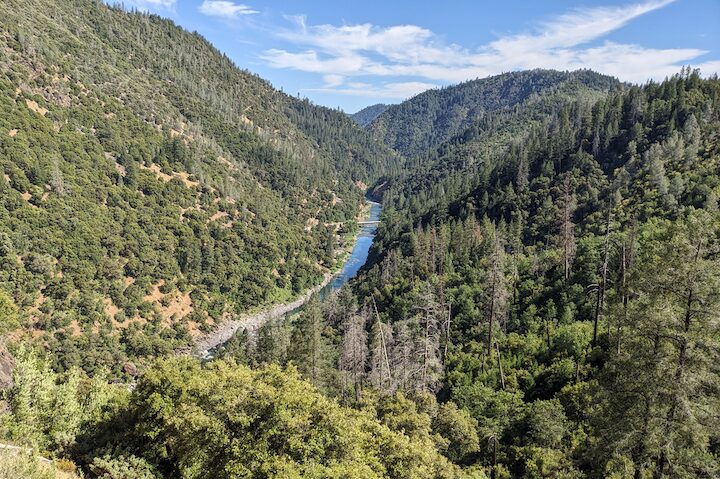
Removing the Roadless Rule in Northern California would change the status of inventoried Roadless Areas across national forests like the Shasta-Trinity, Klamath, Lassen, and Trinity by allowing new road construction where it is currently restricted. These areas are often high-elevation ridges, backcountry watersheds, and steep forested slopes that are now inaccessible. If road restrictions are lifted, those same landscapes could become open for new timber sales and other development activities that depend on road access.
How to Navigate the 3D Map Viewer
To see how these land designations affect the landscape from the ground, viewers need to change the camera angle to simulate a standing perspective on the terrain.
- Zoom In and Out: Use the mouse scroll wheel, or click the + and – buttons in the upper-left corner of the map.
- Pan across the Landscape: Click and hold the left mouse button, then drag the mouse in any direction to move horizontally across the topography.
- Rotate and Tilt (Crucial for Ground View): Click and hold the right mouse button while dragging. Moving the mouse up or down tilts the camera view, allowing viewers to drop low to the horizon and look up at the mountain peaks. Moving it left or right rotates the horizon.
- Reset Orientation: Click the Compass icon to reorient the view straight north. Pressing P on the keyboard sets the view looking straight down from a bird’s-eye perspective, while N snaps the camera north.
Using the City Slides at the Bottom of the Map
The thumbnails along the bottom of the map interface are Slides (or Bookmarked Views) that let viewers jump directly to a specific spot on the ground without having to manually fly across the topography.
- Jump to a City: Click on any slide thumbnail along the bottom. The camera will automatically fly to that specific city and tilt up to show the mountain range from that exact perspective.
What the Map Data and Colors Mean
The overlaid color boundaries establish the legal line between permanent resource protection and potential timber management. When looking at the mountain range from any city slide, comparing these color zones shows exactly where the physical skyline is subject to change.
Purple Areas: Roadless Rule Areas
These sections represent lands managed under the 2001 Roadless Area Conservation Rule, which restricted commercial logging and road construction in specific areas of National Forest System lands.
- The Management Shift: If these protections are lifted or modified, these areas open up to commercial logging operations and new industrial access roads under standard forest management plans.
- The Visual Impact: Any purple patch visible on a ridge line means logging roads and clear-cuts could appear there, changing that part of the landscape and skyline.
Green Areas: Designated Wilderness Protected Areas
These zones represent federally protected Wilderness Areas under the Wilderness Act.
- The Protection: These lands have the highest level of conservation protection. Commercial enterprise, motorized vehicles, mechanical transport, and permanent road construction are legally prohibited.
- The Visual Impact: These green areas will remain intact, preserving the forest canopy and natural ridge lines. From the city views, these sections of the skyline are secure.
Note on Spatial Access and Boundaries
On this map, certain purple Roadless Areas sit higher up on the peaks or directly behind protected green Wilderness zones. Because federal law strictly prohibits building roads or operating motorized equipment inside the green Wilderness boundaries, logging operations cannot cut through the green zones to reach the timber above. Instead, accessing these purple areas requires bypassing the Wilderness entirely, finding entry routes around the sides or back slopes in recreation areas.